
wolf1111
Last seen 9 hours ago
Usually responds within 10 hrs
 Egypt
Egypt
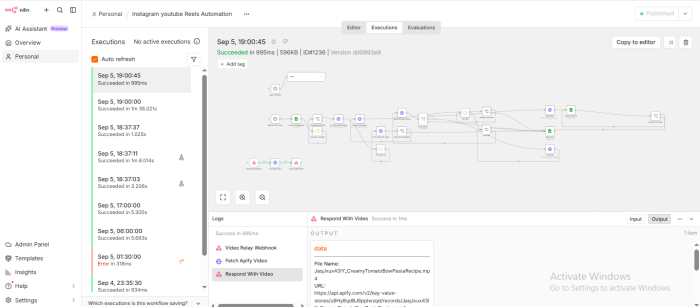
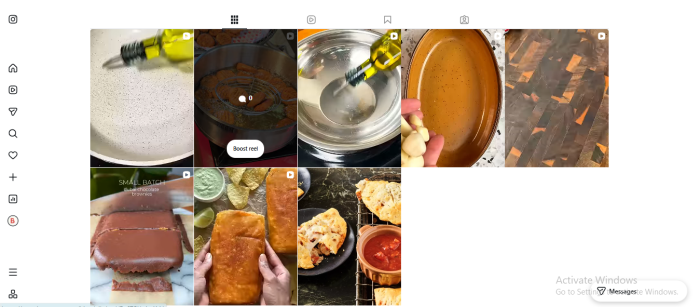
I will set up an n8n workflow to automate Instagram Reels and image posts, with scheduling, Google S

Description
Want to automate your Instagram Reels posting and save time every day?
I will set up a ready-to-use n8n workflow that helps automate your Instagram Reels publishing process using Google Sheets and the Instagram Graph API.
### What You Will Get
✓ Ready-to-import n8n workflow
✓ Automated Instagram Reels publishing
✓ Google Sheets content queue
✓ Scheduled Reel posting
✓ Automatic status tracking
✓ Retry handling for failed runs
✓ Step-by-step setup instructions
✓ Basic guidance to connect your required accounts
### How It Works
1. Add your video links and posting information to the Google Sheet.
2. The n8n workflow processes the queued content.
3. The video is prepared and sent for Instagram publishing.
4. The workflow tracks the publishing status in your Google Sheet.
5. Failed runs can be retried automatically.
### Perfect For
• Instagram theme pages
• Faceless content pages
• Content creators
• Social media managers
• Agencies managing Instagram accounts
• Businesses that regularly publish Reels
### What You Need
You will need:
• An n8n Cloud or self-hosted account
• A Google account for Google Sheets
• An Instagram Business or Creator account
• The required Meta/Instagram API access
• An Apify account if required by the workflow
### Important
This service provides the automation workflow. It does not create videos or provide copyrighted content.
You must own the videos you use or have permission to republish them. You are responsible for ensuring that your content complies with Instagram's rules and applicable copyright requirements.
The workflow depends on your own accounts, API access, and third-party services, so successful operation requires those services to be properly configured.
Order now and start automating your Instagram Reels publishing workflow with n8n.
Links
Reviews
Public Questions
There are currently no public questions